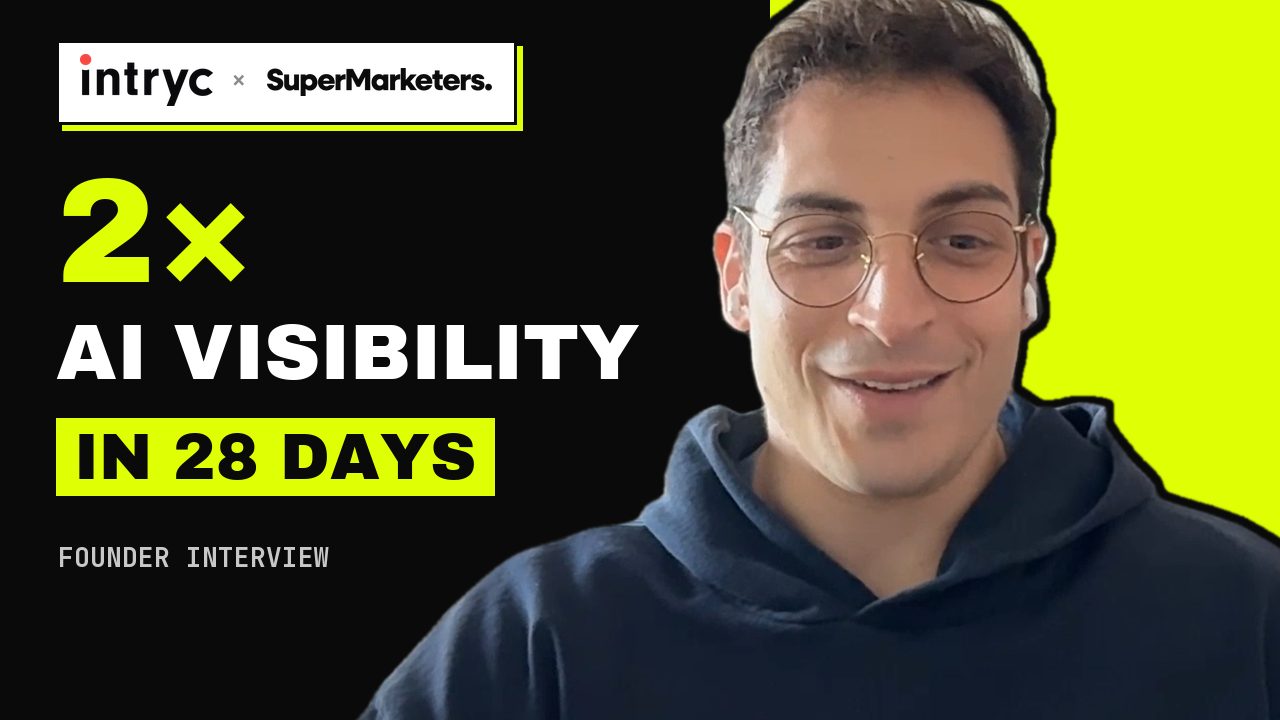
Alex Marantelos, the founder and CEO of Intryc, recorded a 10-minute video about working with us. It was one take on his webcam: honest, enthusiastic, and full of the ums, restarts and tangents you get when someone talks off the cuff.
The usual next step is to hire an editor or lose a weekend in an editing app. I did neither. I opened Claude Code in my terminal, pasted the transcript, and worked through it in plain language over a few sessions across five days. Most of my time went into deciding what the story was and reacting to drafts. The cutting, captioning, design, rendering, checking and uploading were done by Claude Code.
Here's what came out of that one recording:
- 8:41 case study videoChapters, captions, info cards, results board. Now on YouTube and the case study page.
- 2:12 short cutThe same story compressed, in 16:9 and square.
- Four LinkedIn clips20 to 45 seconds each, square, with a hook headline and end card.
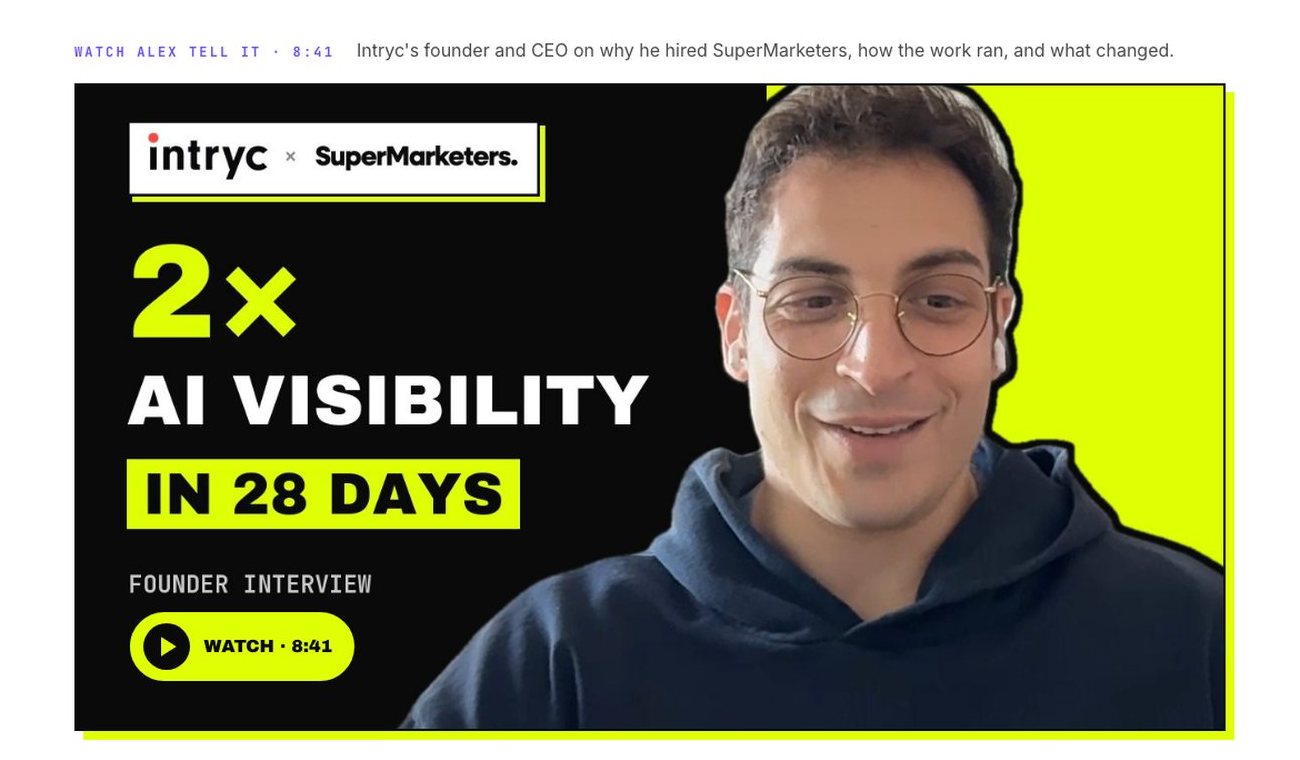
- ThumbnailAlex cut out of his background, on brand.
- Case study rewriteReal quotes in place of a polished one he never said.
- Page embed and schemaVideo, chapters and a full transcript AI engines can quote.
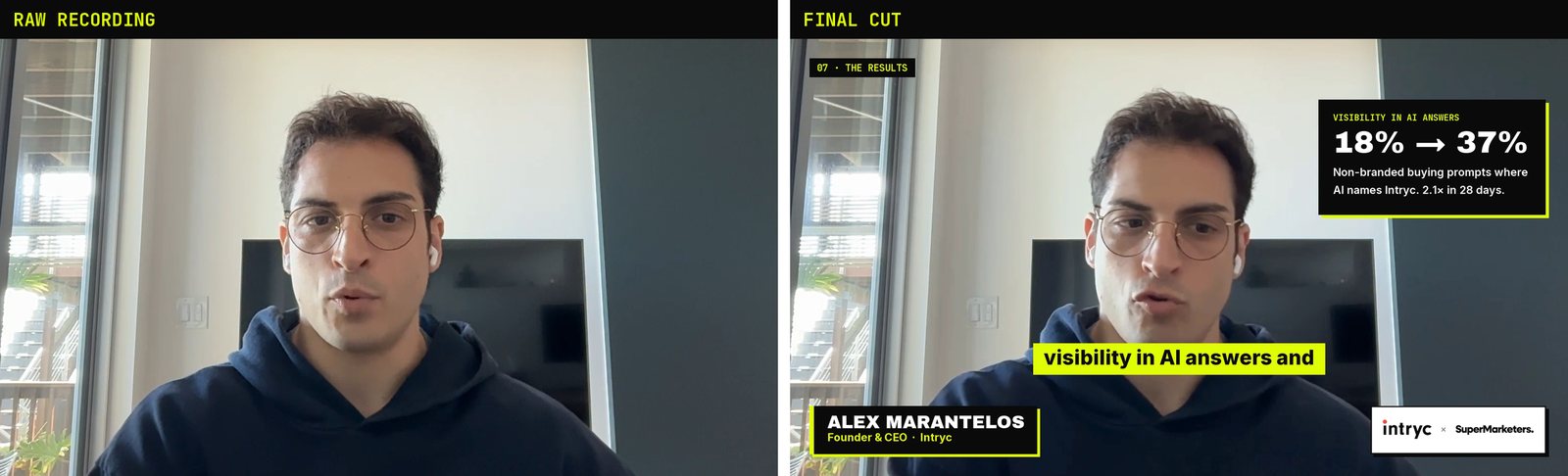
I'm writing this up because it changed how I think about video. The tools have existed for years: ffmpeg, Whisper, Python. What changed is that I no longer have to operate them. I describe the result, and Claude Code writes and runs the scripts, checks its own work, and tells me what it couldn't do.
Here's the workflow, step by step, with what broke along the way. At the end are the tools, folder layout and prompts to do it yourself. Skip straight to them.
Step 1: Start with the story, not the timeline
I didn't start by asking for an edit. I asked a strategy question.
here's the transcript for alex's conversation. it's a video. what's the best way to use this to incorporate into the case study for intryc? how to improve the case study? how to optimize for use in outreach and homepage?
Claude Code read the transcript alongside the live case study page and the client notes in my repo. Its first finding was uncomfortable: the testimonial quote on the case study page wasn't something Alex had said. It had been written for him during an earlier draft. Now that we had his real words on video, a written quote that didn't match the video would cost us credibility.
So the first edit wasn't video at all. We replaced the quote with Alex's actual words and mapped the transcript into themes: why he hired us, the competitor problem, the numbers, inbound from AI, founder time saved. Each theme got a destination: the case study, outreach, or the homepage. That map became the brief for every cut that followed.
Real words beat polished words. Read the transcript like a strategist before you touch a timeline. The best lines in this video were the unscripted ones: "if that person convinced me to talk to them online, even though I'm being pitched by a million people…"
Step 2: Cut by words, not by timecode
Once I handed over the file, Claude Code transcribed it with Whisper and kept a timestamp for every word, all 2,031 of them. That turns editing into text work. Instead of scrubbing a timeline, each segment is defined by the words it starts and ends on:
(126.7, "i spoke to many agencies", 193, "brand where i want to be"),
That line means: find "I spoke to many agencies" near 2:06, find "brand where I want to be" near 3:13, and keep everything between. The whole 8:41 video is 18 lines like that. To change the edit, you change the words, and nothing has to be re-cut by hand.
Step 3: Don't trust the timestamps
Here's the part that would have burned a human editor. Whisper's word timestamps drift. In places they were off by more than two seconds, and the early cuts proved it: "Gen has been an exceptional…" lost the word "partner", and a stray "Well," leaked in between two clips.
Claude Code didn't hand that to me as finished. It built a checking loop:
- Snap every cut to a real silence in the audio, not to the transcript's guess.
- Transcribe each cut on its own.
- If an extra word leaked in, move the cut to the next silence inward. If a word got clipped, move it outward. Check again.
- When the whole video is rendered, transcribe the finished file end to end and read every join.
segment                 cut points       what the cut audio says
The most important…   73.29 – 77.30    the most important … solution like this
The most important…   73.74 – 77.63    the most important … solution like ours
This definitely…      530.32 – 537.12  2.6s of dead air … this definitely saved … hours a week
This definitely…      532.83 – 537.12  this definitely saved … hours a week
The final full-file check caught six more problems in the 7-minute version, all fixed before I saw it. Even so, I watched the result. These checks are a safety net, not a replacement for a human watching it.
Step 4: Captions that spell names right
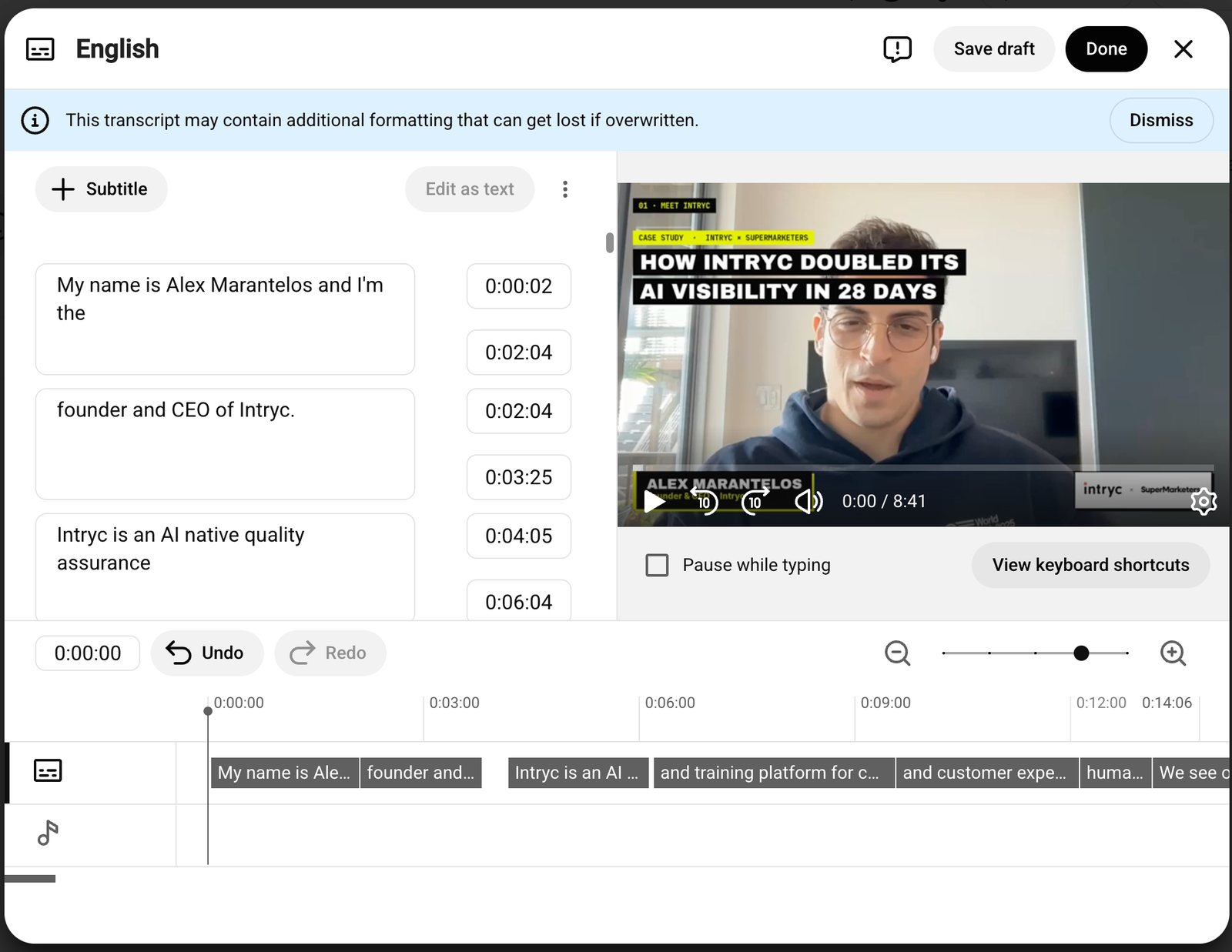
Most viewers watch muted, so captions are burned in. Whisper heard "Intryc" as "Intrigue", "Gen" as "GAN", and "Claude" as "cloud" and "club". Claude Code kept a list of corrections and applied them to the captions only, while the audio and the edit stayed untouched. It also removed ums from the captions and split them at sentence boundaries, so no caption runs across two thoughts.
Step 5: Design it like a brand, in code
There's no design tool here. The brand fonts come from Google Fonts, the Intryc logo came from Intryc's own website as an SVG, and every on-screen element (captions, name card, logos, chapter tags) is drawn with Python and laid over the video as a transparent track. That's a workaround. The ffmpeg install on my machine had no text-drawing filters, so Claude Code found another way instead of stopping.
The first version was too timid. The name plate was small and disappeared after five seconds. My feedback was one message:
keep supermarketers logo in bottom right throughout. and intryc logo too. colored version. need one combined case study video that includes all together. fix the font and design of the Name, Position, Company. need it more prominent, and throughout the video
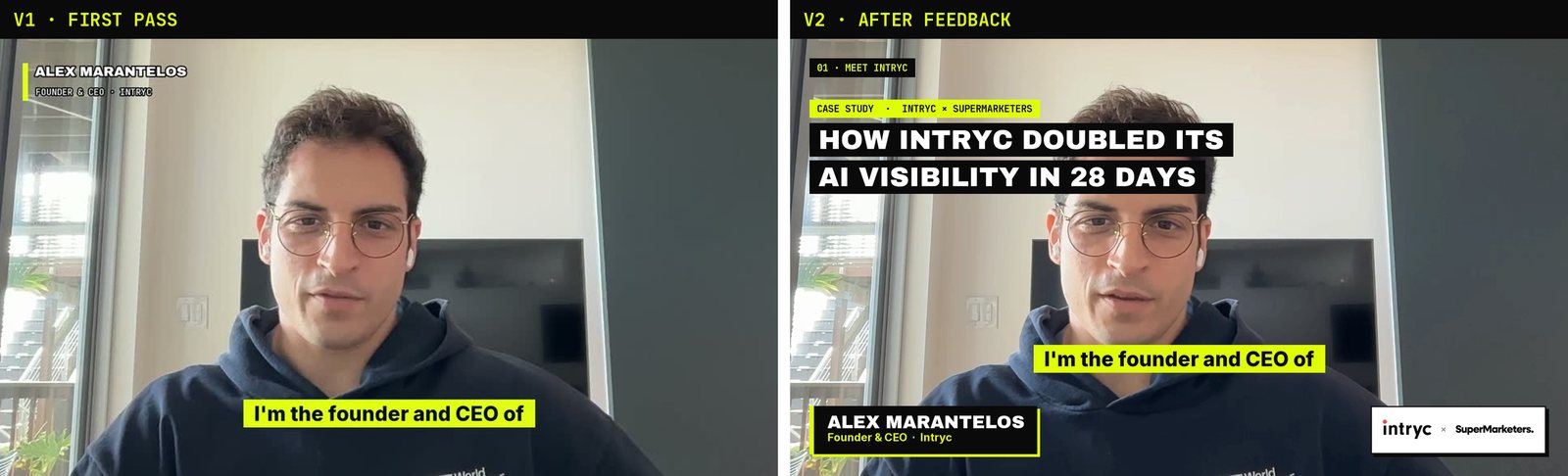
Later I asked for more context on what Intryc does and more detail on the results. Claude Code added info cards that slide in when Alex says the matching line: "About Intryc" when he describes the product, "18% → 37%" when he gives the visibility number, and his decision test when he explains how he decides. The numbers on the cards come from the published case study, not from his memory of them.
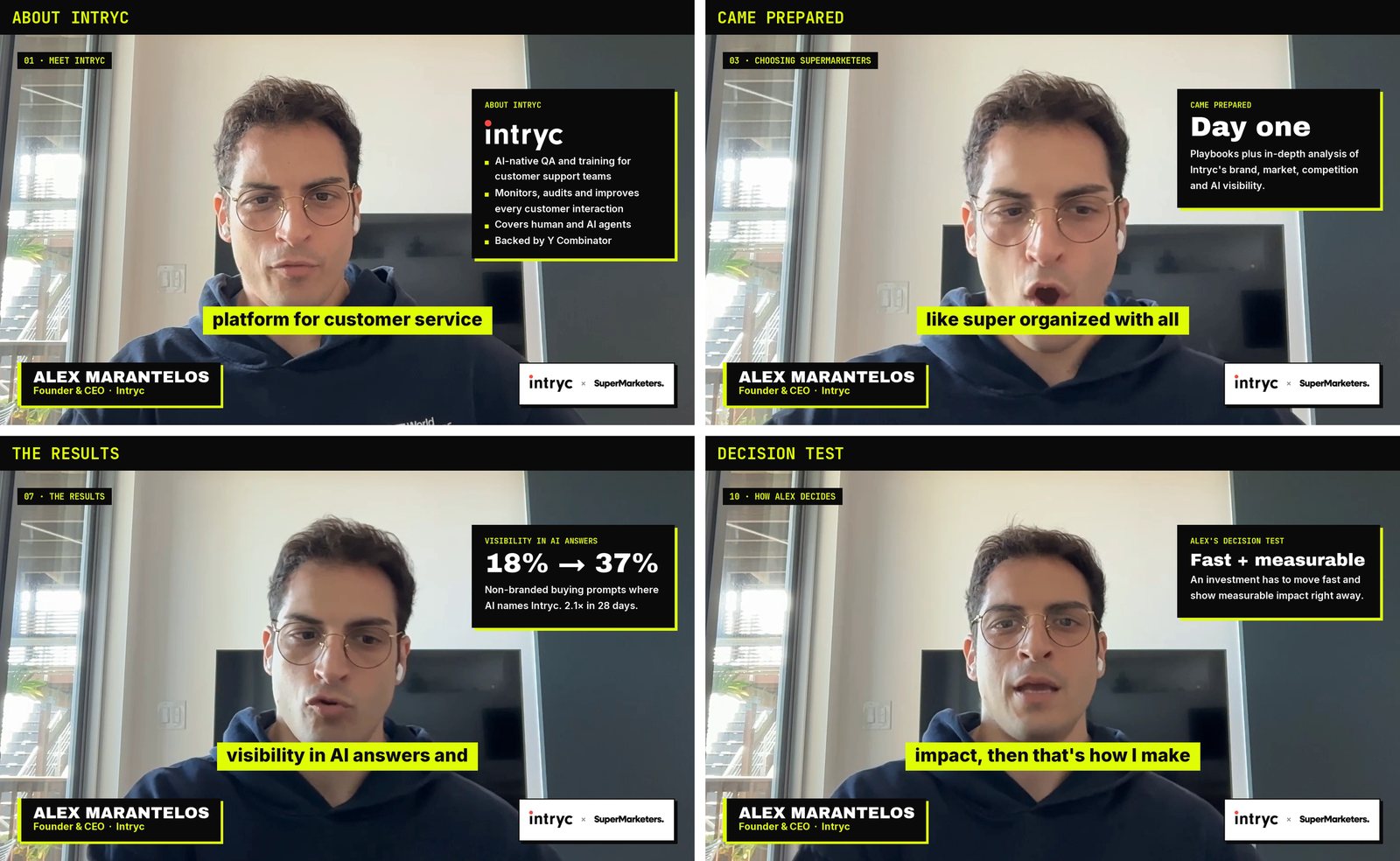
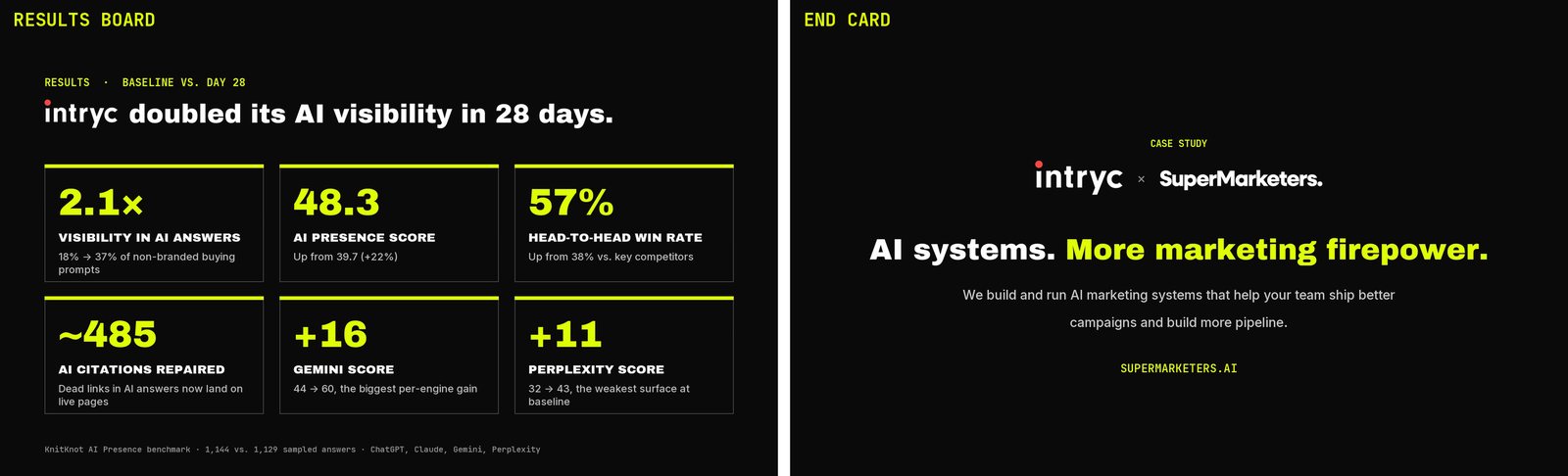
The video ends on a results board with all six headline numbers, including three Alex doesn't say on camera, then an end card. When I wanted different closing copy, I pasted the new line into the chat and every video with an end card was re-rendered.
Step 6: Get the pacing right by negotiating the cut
This is where working in plain language paid off most. The first combined video was 2:12. It had every number, but it felt like a highlight reel. I said so:
I want the full version of the case study to include more from Alex. Aim for 7 minutes. Include what Intryc is and more of the details. This moves too fast and does not show the value, the communication, and Alex's enthusiasm.
Claude Code rebuilt it around long, unbroken stretches of Alex talking, so his reasoning and energy carry through, and slowed the zoom changes. Then I asked the question every editor dreads: what did you cut?
what is cut? give me that
I got back a table of all 17 removed passages, with timestamps, what Alex says in each, and why it was cut. That let me make the editorial calls in two minutes. Five went back in:
| Restored | What Alex says | Why it earned its place back |
|---|---|---|
| +12s | "We do have open positions… finding the right candidate is very hard." | The direct comparison with hiring someone full-time |
| +13s | "…even though it was all white glove and super curated." | What the service felt like to him |
| +21s | "…how long it would have taken me to figure everything out from the very start." | Value beyond the hours saved each week |
| +15s | "We need to learn what resources to leverage, especially for things people can be better than us." | Why a founder hands this off at all |
| +12s | "As a young startup, you're not shown anywhere… everybody does content." | Sets up the credibility problem |
The final cut is 8:41. The one-line restore ask turned into five re-checked joins, a re-render and a fresh full-file check, and I didn't have to think about any of it.
Step 7: Make the thumbnail
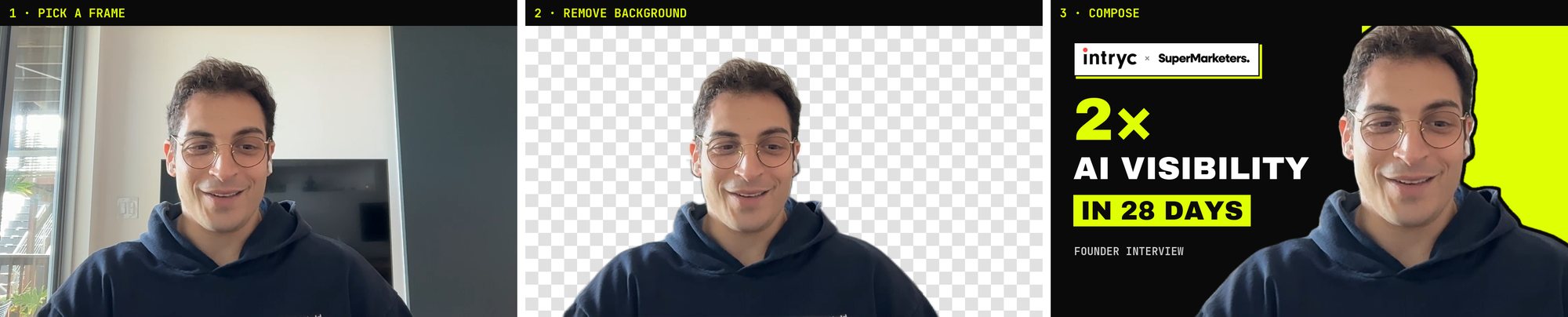
Claude Code pulled nine candidate frames from the recording, picked the one where Alex is smiling straight at the camera, and ran a background-removal model to cut him out. Then it composed the thumbnail in the same brand system: the headline on ink, Alex on yellow, and the two logos.
Step 8: QA it like software
Before calling anything done, Claude Code checked each file the way you'd test code. It looked for gaps between frames, confirmed the audio and video lengths matched, re-transcribed the audio, and pulled a frame from every chapter. That caught bugs I would never have spotted by eye:
- A video that reported a 3-hour runtime. The cut pieces kept their original timestamps, so players would have shown the wrong length and seeking would have broken. Fixed by renumbering the timeline.
- A pause before every end card. The loudness filter padded the audio by a tenth of a second. Fixed by trimming the audio to the exact video length.
- Soft playback on YouTube. I sent a screenshot and asked "what is resolution? looks not good". The export was 1080p at 2.6 Mbps. Claude Code re-exported a 1440p master at 8.2 Mbps, because YouTube gives 1440p uploads its higher-quality encoding, and re-uploaded it.
Step 9: Publish and put it to work
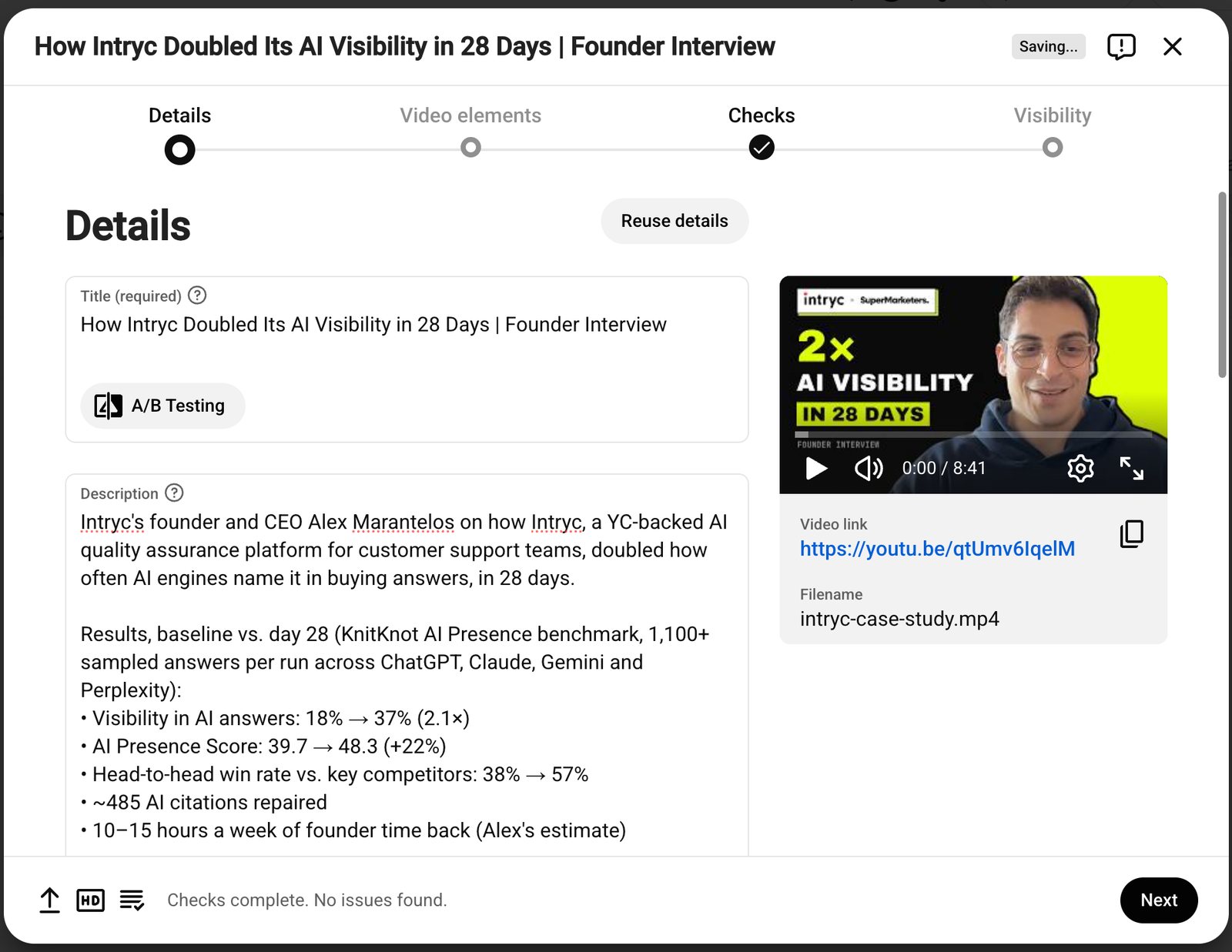
I asked Claude Code to publish through Postiz, the social scheduler I self-host. It checked first and came back with a no. Postiz had no YouTube credentials, and YouTube locks videos uploaded through apps it hasn't audited to private. So instead it opened YouTube Studio in a browser. I signed in once, and it handled the rest: title, description with chapter timestamps, tags, thumbnail, captions file and visibility.
The last step is the one most teams skip. The video went onto the Intryc case study as a click-to-play embed, so the page stays fast. Under it are chapter links and the full 1,665-word transcript, and the page's structured data has a video entry with every chapter marked. A video on its own is invisible to ChatGPT and Perplexity. The transcript beside it gives them text to quote.
What I'd tell you before you try this
- Bring a point of view. Claude Code is a fast, careful editor. It isn't the person who decides what the story is. My best inputs were short opinions: "too fast", "more of Alex", "put those five back".
- Ask what got cut. The cut list was the most useful thing I received. Ask for one every time you shorten something.
- Insist on verification. Transcription timestamps and audio filters both lie a little. Ask for the finished file to be checked end to end, then watch it yourself.
- Expect it to hit walls. A missing filter, no API keys, a locked upload. Each time I was told plainly what didn't work and what the alternative was. That honesty matters more than any single feature.
- Publish with text. A transcript and chapters turn a video into something search engines and AI answers can use.
Do it yourself: tools, folders and prompts
Everything you need to run this on your own recording. You don't type the commands below. Claude Code runs them. They just need to be installed, and Claude Code can install most of them for you if you ask.
1. The tools
| Tool | Install (macOS) | What it does here |
|---|---|---|
| Claude Code | claude.com/product/claude-code (terminal, desktop app or IDE extension) | Plans the story, writes and runs every script, checks the results, drives the browser |
| ffmpeg | brew install ffmpeg | Cutting, cropping, zoom changes, loudness, encoding, joining the cuts |
| Python 3 + Pillow + NumPy | pip install pillow numpy | Draws captions, name card, logos, info cards, results board, end card and thumbnail; finds silences in the audio |
| Node.js | brew install node | Runs the HyperFrames command-line tool below |
| Whisper (via HyperFrames) | npx hyperframes transcribe audio.wav | Word-level transcription, plus re-transcribing every cut and finished file to check it. The model downloads on first run. |
| Background removal (via HyperFrames) | npx hyperframes remove-background frame.png -o cutout.png | Cuts the speaker out of the room for the thumbnail |
| Headless browser (optional) | Playwright, or gstack's browse | Turns logo SVGs into images, takes screenshots, and fills in the YouTube Studio upload after you sign in |
| Brand assets | Font files (Google Fonts) and logo SVGs | Yours, and the client's logo from their site. Get permission to use their logo. |
One thing to check: the ffmpeg in Homebrew may not include the text-drawing filters (drawtext and libass). That's why the overlays here are drawn with Python and laid over the video. It's also the more flexible route.
2. The folders
Three places. Keep the raw recording untouched, keep the working files somewhere permanent, and keep the deliverables separate. My working folder started in a temporary scratch directory. Don't do that. Put it in a repo so you can re-cut later.
# 1. source: never edited
~/Downloads/Edited Version.mp4            the raw 10:25 recording

# 2. working folder: scripts, caches, checks
video-project/
├── build.py           the edit: segments, captions, overlays, rendering
├── align.py           cut verification: snap to silence, re-transcribe, fix
├── transcript.json    every word with its start and end time
├── cuts.json          verified cut points, reused by every version
├── local_words.json   re-transcription of each cut (caption timing)
├── audio16k.wav       audio pulled from the source for analysis
├── fonts/             brand font files
├── logos/             logos as transparent PNGs
├── pieces/            each cut, rendered once and cached
├── work/              overlay frames per video
├── thumb/             candidate frames and the cutout
└── qa/                check frames and re-transcriptions

# 3. deliverables
~/Downloads/intryc-clips/
├── 00-full-case-study-16x9-1440p.mp4     8:41, the YouTube master
├── 00-full-case-study.vtt                corrected captions
├── 00-full-case-study-chapters.txt       chapter timestamps for the description
├── 00-short-case-study-16x9.mp4 / -1x1   2:12 cut
├── 02-competitor-claims-1x1.mp4 …        four LinkedIn clips, square and 16:9
├── youtube-thumbnail-1280x720.png
└── youtube-upload.md                     title, description, tags, checklist
3. The prompts, in order
These are cleaned-up versions of what I typed. Swap in your own names, paths and numbers. Send them one at a time and review what comes back before moving on. Most of the value is in your reactions between them.
- Strategy
Here's the transcript of a client testimonial video: [paste]. Read our case study at [path or URL] and tell me the best way to use this in the case study, in outreach and on the homepage. Flag any quote on our site that the client didn't actually say.
- Transcribe
The video is at [path]. Transcribe it with word-level timestamps and show me the transcript in timed lines.
- Cut
Make a 60 to 90 second hero cut and four 20 to 45 second clips about [themes]. Define each cut by the words it starts and ends on, snap cuts to silences, and verify every cut by re-transcribing it. Fix these spellings in the captions: [names and terms].
- Design
Brand fonts are [fonts], colors are [hex codes]. Keep our logo and the client's logo, in color, bottom right the whole time. Put name, title and company in a prominent card bottom left the whole time. Captions above both. Add chapter tags.
- Context and results
Add more context about what [client] does and more detail on the results. Show an info card when they mention [topics], using numbers from [source]. End with a results board and an end card that says "[your line]".
- Pacing
Make a full version around [7] minutes with more of [client]. It moves too fast and doesn't show the value, the communication or their enthusiasm. Use long, unbroken stretches.
- Review the cut
What did you cut? Give me a table with timestamps, what they say and why you cut it.
Then: put back [numbers].
- QA
Check every file: frame gaps, audio and video length, re-transcribe the finished audio and read every join. Show me a frame from each chapter.
- Thumbnail
Make a 1280×720 YouTube thumbnail. Pick a frame where they're smiling at the camera, remove the background, headline "[headline]", both logos.
- Publish
Upload the 1440p master to YouTube as unlisted, with the title, the description with chapters, tags, thumbnail and captions file. I'll sign in when the browser opens.
- Embed
Embed it on [page] as click-to-play, with chapter links, the full transcript and VideoObject schema. Show me desktop and mobile screenshots, then commit and push.
Two habits matter more than any single prompt. Ask "what did you cut?" every time something gets shorter. And watch the final file yourself before it goes out, no matter how many checks passed.
None of it is exotic, and most of it is free. What made the difference was having something that can operate all of it at once and still take a one-line note like "this moves too fast".