To register your business on ChatGPT, go to chatgpt.com/business-hub, choose to claim a business, enter your domain, add the TXT record OpenAI gives you at your DNS provider, then click Verify domain. An ID check follows. It's free, it's in beta, and the setup took me a few minutes.
I did it for supermarketers.ai on Nov 11, 2026 and recorded the whole thing. This post has the steps, the one setting that trips people up, and what you get at the end. At the time of writing, my ID check is still pending, so my Insights are empty. I'll say so where it matters.
What do you need before you start?
Three things:
- A ChatGPT account.
- A website domain you own.
- Access to the place where that domain's DNS records live. That's your registrar or DNS provider, such as Cloudflare or GoDaddy.
If someone else manages your DNS, send them the TXT record from step 3 below. They only need to add one record.
How do you register your business on ChatGPT?
- Open the Business Hub. Go to chatgpt.com/business-hub and choose to claim a business.
- Add your business and your domain. I entered SuperMarketers and supermarketers.ai.
- Copy the TXT record. OpenAI shows a type (TXT), a name or host, and a value.
- Add the record at your DNS provider. The next section covers the exact fields.
- Wait a few minutes, then click Verify domain. DNS changes take time to appear.
- Finish the ID check. Verifying the domain claims the business. The ID check is a separate step.
- Open Insights. This is where the mentions and clicks show up once the review clears.
How do you add the TXT record?
This is the step that decides whether verification works, so here are the exact fields. I used Cloudflare.
- Type: TXT
- Name:
openai-business-profile - Content: the full value OpenAI shows you. It starts with
openai-business-profile=.
The verification page displays the name as openai-business-profile.yourdomain.com. In Cloudflare, type only openai-business-profile in the Name field. Cloudflare adds your domain for you, so typing the full name creates a doubled one that never matches.

Use the copy icons for the value. In the font on that page, a lowercase l, a capital I, a capital O and a zero look nearly the same, and one wrong character fails the check.
The page also shows an expiry time for the record. Mine was set to expire the same morning I started, so add the record right away and verify the same day. If it lapses, you request a new record.
Before you click Verify domain, check that the record is live. In a terminal:
dig +short TXT openai-business-profile.yourdomain.com
If it prints your value, DNS has it. If it prints nothing, wait a few minutes and run it again.
What does the ID check ask for?
OpenAI asks you to verify your identity with a government-issued ID. I uploaded my employer ID number (EIN) and the front and back of my driver's license. After that, the business shows as pending while OpenAI reviews it.
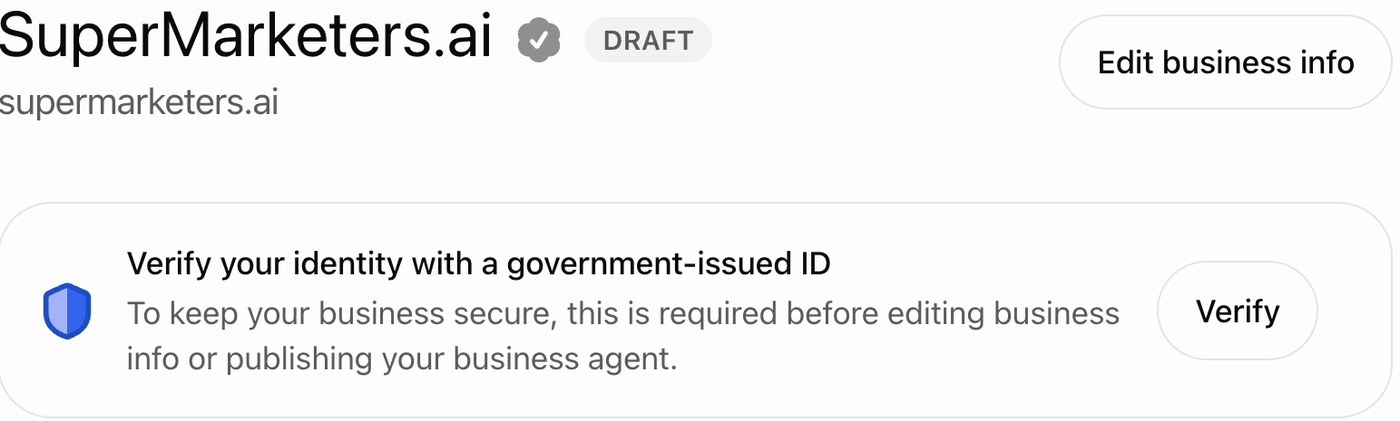
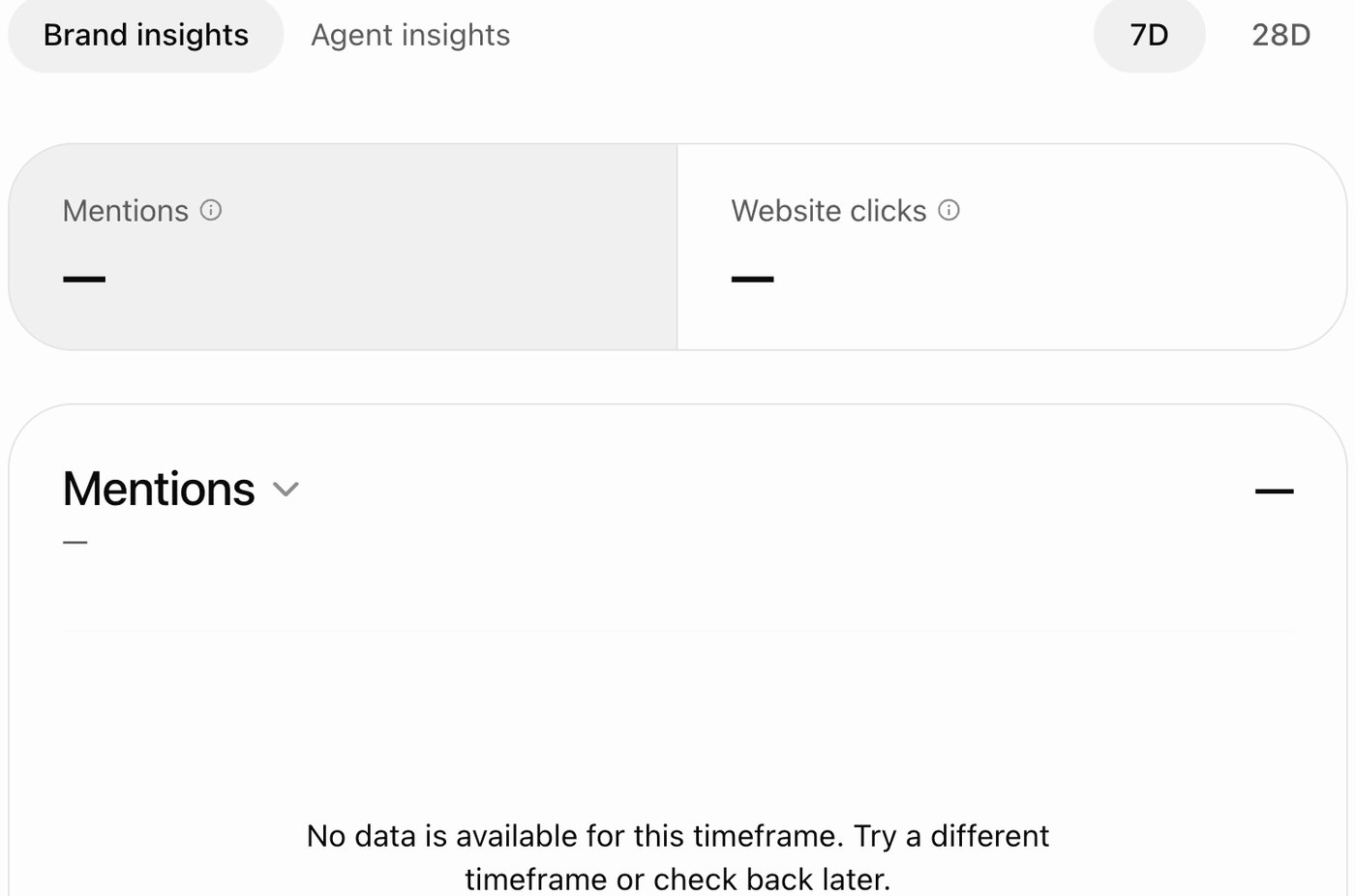
Until the review clears, the overview page asks you to verify and the Insights charts are empty. That's where I am today.
What do you get after you claim it?
The overview page has two tabs, Brand insights and Agent insights, with 7 day and 28 day views. Brand insights shows:
- Mentions: how many times ChatGPT mentioned your business in an answer.
- Website clicks: how many clicks from ChatGPT answers went to your site.
- Top 5 discovery topics: the conversation themes your business came up in.
I'll update this post when the first numbers arrive.
Why does it matter?
Until now, finding out whether ChatGPT recommends your company meant picking a list of prompts yourself and running them. That tells you what happens for the questions you guessed. It doesn't tell you what buyers actually asked.
Insights are first-party data from ChatGPT. It's the closest thing to Google Search Console for ChatGPT: real mentions, real clicks, real themes.
My plan is to check it weekly and compare the discovery topics against the buyer questions I already track. A theme that shows up in Insights and isn't on my list becomes a new question to track and a new page to write.
What are the limits?
- It's in beta, and the product can change.
- Claiming your business doesn't promise higher rankings or more recommendations. Don't expect it to boost anything by itself.
- The numbers are only as good as the review. Mine are empty until the ID check clears.
- This is one account on one day, Nov 11, 2026.
How does SuperMarketers use it?
SuperMarketers is the AI marketing partner that gives B2B SaaS founders a marketing team's worth of work, every month. AI search is one of the four things we run. Claiming the business in ChatGPT is a Foundation month task, and Insights become one more source for the questions we track and the pages we write. See how we track AI visibility.
FAQ
Is it free to register your business on ChatGPT?
Yes. The setup was free for me. It's in beta, so the terms can change.
How long does it take?
The setup took me a few minutes. The ID review takes longer, and I'll update this post with how long mine took.
Do I need Cloudflare?
No. Any registrar or DNS provider that lets you add a TXT record works, including GoDaddy.
Why did domain verification fail?
Three causes to check first: the name was typed with your full domain so it doubled, a character in the value was mistyped, or the record expired. Run the dig command above to see what DNS actually returns.
Does claiming my business make ChatGPT recommend it more?
No promise of that. Claiming gives you the data and the profile. Whether you're recommended still depends on whether your site answers the questions buyers ask.